 Miunit
Notes & Clips
Save the context you’ll want again.
Turn a good prompt, a useful answer, or a Recap into something the next task can use.
Try it in Miunit
A little less retyping
Keep the part you’ll actually use.
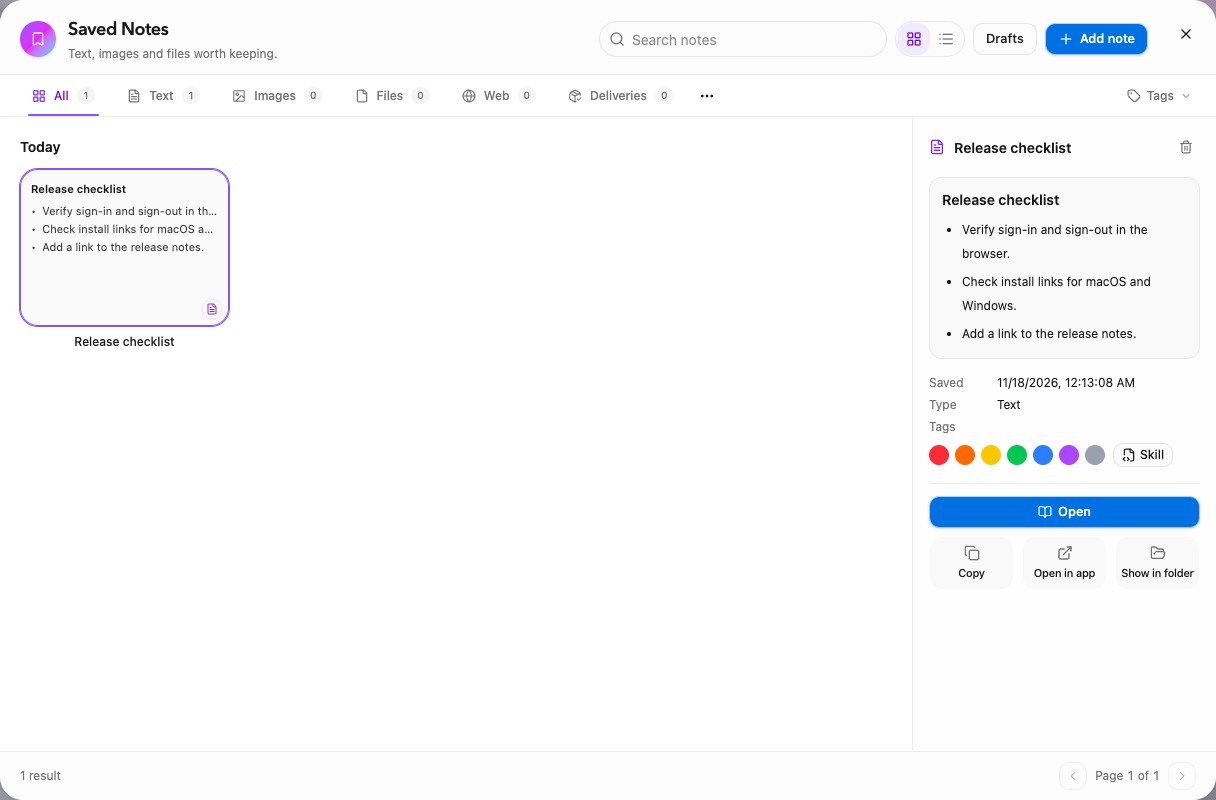
After your third release, you probably have a prompt you trust. It spells out the tone, the places to check, and the details that belong in the changelog. You could hunt for that conversation each time. Or you could save the prompt as a note and bring it into the next task.
Notes gives reusable material a home. Write a note yourself, ask an available agent to help draft one, or save a supported result. Use Add from Notes in a compatible composer to insert a snapshot you can edit for the current job.
From one job to the next
Clip it. Save it. Put it to work.
- ClipsPark a useful line or image while you work.
- Saved NotesKeep the prompt, checklist, or decision you’ll want later.
- Agent composerBring in a snapshot and tailor it to the next task.
A shared memory for the work
Give the next task a head start.
Some things only need a temporary spot. Keep them in Clips and pin the ones you want to survive cleanup. Save the stable material as Notes: the release checklist, a tested prompt, or the reasoning behind a design choice.
A Recap report can land here too. When you revisit the work next month, the useful result is easy to find and ready to bring into another conversation.
What to save
Turn a good result into a reusable starting point.
-

Keep a note small enough to reuse.
A release note template is most useful when it has a clear job. Save the audience, the sections you expect, and the couple of checks that caught mistakes last time. Keep one-off names and dates in the task prompt. Next week, you can bring the saved material into a compatible composer and tailor the snapshot for a new release.
-

Give temporary material a separate home.
While you review, Clips is a place for a line of feedback, a screenshot, or a bit of evidence you want to copy again. When one of those becomes a lasting decision, save it as a Note with a name you can search for. A pinned clip can stay in the tray when you still need it there.
-

Save context alongside the deliverable.
The final changelog is worth keeping. So is the reason a change was left out. Save a supported result or a Team delivery in Notes, then record the important decision in a short note of its own. When a different agent picks up the next release, you can share the brief and the decision together.
Miunit Docs